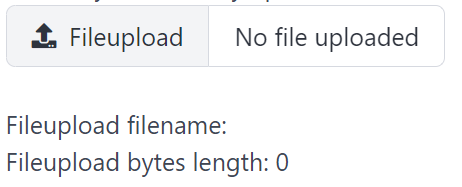
FileUpload
FileUpload create a fileupload and return its selected file.
API
type FileObject struct {
	Name string `json:"name"`
	Type string `json:"type"`
	Size int    `json:"size"`
}

func (f *FileObject) Open() (tgframe.FileReader, error)
func (f *FileObject) Bytes() ([]byte, error)

func FileUpload(c *tgframe.Container, label, accept string, conf ...*FileUploadConf) *FileObject
cis Parent container.labelis the label for options group.acceptis the file type to accept.confis an optional configuration, at most one.- Return the selected file object. nil if no file is selected.
// FileUploadConf is the configuration for the FileUpload component.
type FileUploadConf struct {
	tgframe.Base // ID

	// Disabled is true if the fileupload is disabled.
	Disabled bool
}
There is no Default here, unlike the other inputs. A file input is the one
control a page cannot fill in on the app user's behalf: the browser refuses to
have its value set from script, so a default would read back in Go while the
box on screen stayed empty. A page that wants to start from a file it already
has should read that file itself rather than ask for one.
On a server the upload is streamed to disk rather than kept in memory, so a
file only has to fit on disk. In the browser it is kept in the origin private
file system, which is what a tab has instead of one, so a stored file is not a
second copy sitting in the tab's memory for as long as the session lasts. It
does still cross in one piece on the way in, so an upload has to fit in the tab
to arrive. Size is the size of what was stored.
Openreturns a reader over the content, which the caller closes. It reads at an offset too, soarchive/zipand the image decoders can work straight off it.Bytesreads the whole file into memory. PreferOpenfor anything that can work on a stream.
Example
	fileObj := tgcomp.FileUpload(p.Main, "FileUpload", ".jpg,.png")
	if fileObj == nil {
		return nil
	}

	tgcomp.Text(p.Main, "FileUpload filename: "+fileObj.Name)
	tgcomp.Text(p.Main, fmt.Sprintf("FileUpload bytes length: %d", fileObj.Size))
	if strings.HasSuffix(fileObj.Name, ".jpg") {
		// Decoding reads the upload off disk, so the image never has to
		// be held twice.
		fp, err := fileObj.Open()
		if err != nil {
			return nil
		}
		defer fp.Close()

		img, err := jpeg.Decode(fp)
		if err == nil {
			tgcomp.Image(p.Main, img)
		}
	}
Reading the content through a stream:
fp, err := fileObj.Open()
if err != nil {
    return err
}
defer fp.Close()

img, err := jpeg.Decode(fp)
MultiFileUpload
MultiFileUpload takes more than one file at once, and returns them in the
order they were picked. It shares FileUploadConf with FileUpload.
func MultiFileUpload(c *tgframe.Container, label, accept string, conf ...*FileUploadConf) []*FileObject
- Return the selected file objects. nil if no file is selected, or while any of them is still uploading.
- A pick holds at most
tgframe.MaxFileKeyIndexfiles.
	fileObjs := tgcomp.MultiFileUpload(p.Main, "MultiFileUpload", ".jpg,.png")
	for _, fileObj := range fileObjs {
		tgcomp.Text(p.Main, fmt.Sprintf("MultiFileUpload: %s (%d bytes)",
			fileObj.Name, fileObj.Size))
	}