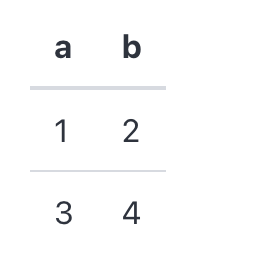
Table
Table component display a table. It is static: the rows are drawn in the order they are given, and there is nothing for the reader to click.
Reach for it when the rows are few and already in the order they should be read in. When the rows are many, or when the reader — not the page function — should decide the order, use DataFrame, which sorts, searches and pages in the browser.
API
func Table(c *tgframe.Container, head []string, table [][]string, conf ...*TableConf)
cis Parent container.headis the head of table.tableis the body of table. Every row needs one cell per head entry; rows of any other length draw an error placeholder instead of the table and fail the run, without stopping the rest of the page.confis an optional configuration, at most one.
// TableConf is the configuration for the Table component.
type TableConf struct {
	tgframe.Base // ID
}
Example
	tgcomp.Table(p.Main, []string{"a", "b"},
		[][]string{{"1", "2"}, {"3", "4"}})